
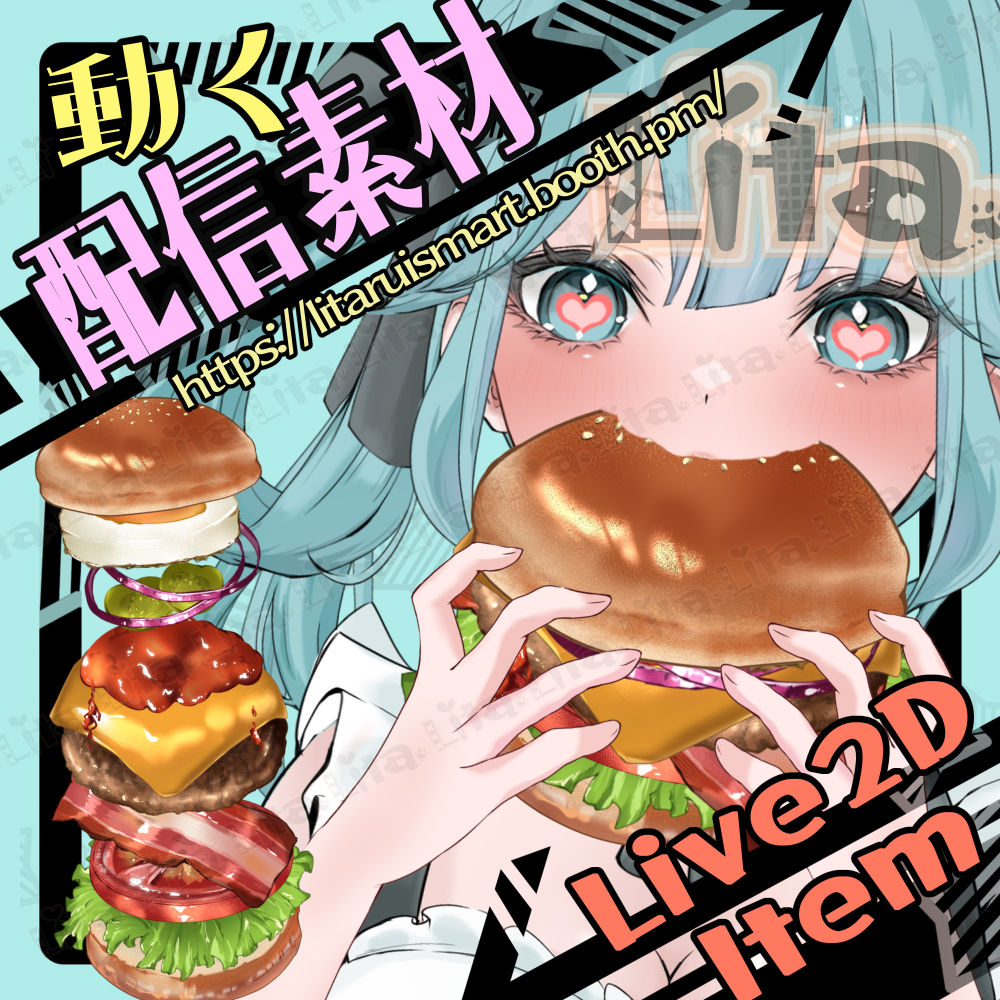
(068)ハンバーガーを食べるモーション/Burger Eating Animation
Litaの作品を見つけてくれてありがとう!
Thanks for finding my work!
Preview Video
Download / Purchase
nizima
|
準備中
English Description
An animated hamburger Live2D item for VTube Studio and nizima Live.
Use the right mouse button to play the hamburger eating animation. You can switch between five burger styles, resize or hide the table, toggle the paper, change the hamburger size, and hide the arms to place the hamburger on the table.
I heard that July 20 is known as “Hamburger Day” in Japan! Apparently, it marks the opening of the first McDonald’s restaurant in Japan in Ginza, Tokyo, on July 20, 1971. A hamburger cost just 80 yen at the time—quite a difference from today!
Included Files
・Live2D item files
moc3 / model3.json / textures, etc.
*Can be used with VTube Studio / nizima Live.
Keybind Settings
Use the following controls to play the eating animation and change the hamburger, table, paper, size, and arm settings.
🎮 [Right Click] Play hamburger eating animation
🎮 [Control+1] Normal Burger
🎮 [Control+2] Cheeseburger
🎮 [Control+3] No egg & bacon
🎮 [Control+4] Veggie Burger
🎮 [Control+5] Gorgeous Burger (Default)
🎮 [Control+6] Resize table
🎮 [Control+7] Toggle table ON/OFF
🎮 [Control+8] Toggle paper ON/OFF
🎮 [Control+Q] Medium-sized hamburger
🎮 [Control+W] Small-sized hamburger
🎮 [Control+E] Hide arms (place on table)
🎮 [Control+0] Reset expression
日本語説明
VTube Studio で使える、ハンバーガーのLive2Dアイテムです。
右クリックでハンバーガーを食べるアニメーションを再生できます。5種類のバーガーへの切り替え、机の大きさ変更・表示切り替え、紙の表示切り替え、ハンバーガーのサイズ変更、腕を非表示にして机へ置く設定ができます。
7月20日は、日本では「ハンバーガーの日」なんだそうです!1971年7月20日に、日本で初めてのマクドナルドのお店が東京・銀座にオープンしたことが由来なんだとか。当時のハンバーガーは、なんと1個80円!今と比べると、時代の違いを感じますね。
内容物
・Live2Dアイテム一式
moc3 / model3.json / texture など
※VTube Studio で使用できます。
キーバインド設定
ハンバーガーを食べるアニメーションの再生や、バーガー・机・紙・サイズ・腕の設定変更ができます。
🎮 【右クリック】ハンバーガーを食べるアニメーション
🎮 【Control+1】ノーマルバーガー
🎮 【Control+2】チーズバーガー
🎮 【Control+3】卵とベーコンなし
🎮 【Control+4】ベジバーガー
🎮 【Control+5】ゴージャスバーガー(デフォルト)
🎮 【Control+6】机の大きさ変更
🎮 【Control+7】机オン・オフ
🎮 【Control+8】紙オン・オフ
🎮 【Control+Q】ハンバーガーサイズ中
🎮 【Control+W】ハンバーガーサイズ小
🎮 【Control+E】腕オフ(机に乗せる)
🎮 【Control+0】表情クリア

Important Note
✅ Commercial use and editing are permitted.
✅ Credit is optional.
✅ Copyright is not waived.
✅ By using this product, you are deemed to have agreed to the Terms of Sale.
🔗 https://lita-art.net/terms-and-condition/
⚠️ There are no restrictions on use in adult-oriented / NSFW content.
Please use within the bounds of common sense.
Color Changes & Sound Effects
Some items support color changes and/or sound effects.
To change the color, adjust the “Color” parameter in the expression settings if available. If there is no “Color” parameter, change the color using the ArtMesh color settings.
Setup Guide:
🔗 https://lita-art.net/how-to-set-up/
Contact
Questions and consultations are accepted via DM.
Feel free to contact me ✨
X: https://twitter.com/LitaVtuber
Web: https://lita-art.net/contact-form/
ご利用について
✅ 商用利用・編集OK
✅ クレジット表記は任意
✅ 著作権は放棄していません
✅ ご利用の際は、利用規約に同意したものとみなします
🔗 https://lita-art.net/terms-and-condition/
⚠️ 成人向けコンテンツでの使用制限はありません。
常識の範囲内でご使用ください。
色変更・効果音について
一部のアイテムは、色変更や効果音に対応しています。
変更は、表情設定のパラメータ一覧に「Color」がある場合、その値を調整してください。「Color」がない場合は、アートメッシュの色設定から変更してください。
設定方法はこちら:
🔗 https://lita-art.net/how-to-set-up/
お問い合わせ
質問・ご相談はDMまでお気軽にどうぞ✨
X: https://twitter.com/LitaVtuber
Web: https://lita-art.net/contact-form/