
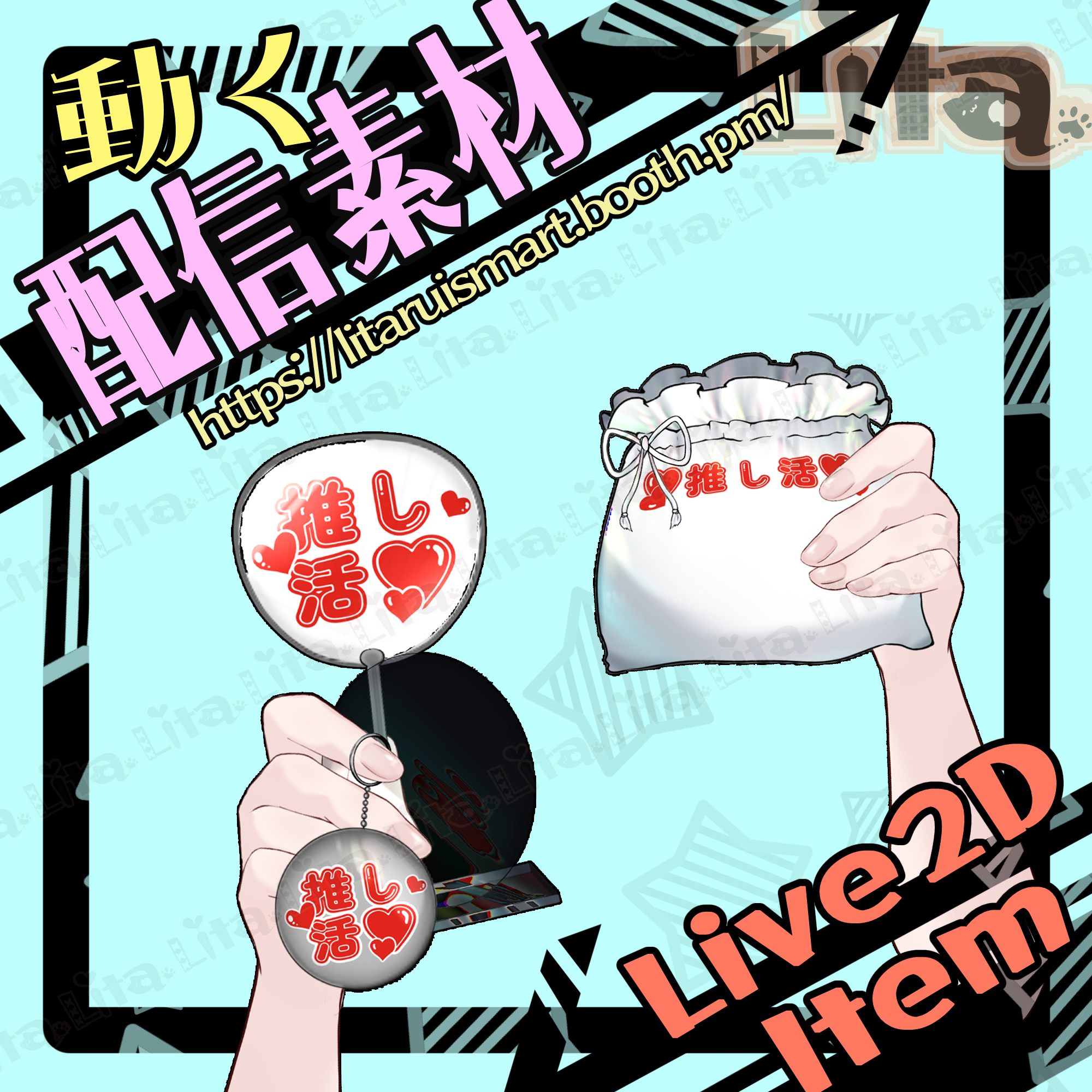
(091)推し活グッズ紹介素材/VTuber Merch Showcase Assets
Litaの作品を見つけてくれてありがとう!
Thanks for finding my work!
Preview Video
Download / Purchase
English Description
VTuber Merch Showcase Assets is a Live2D asset set for VTube Studio. Take merchandise out of a bag to show it off, including keychains, uchiwa fans, acrylic stands, and no-form goods.
Defaults & Item Selection
All defaults are set to Custom 1. Resetting expressions restores these defaults. Items must be ON to come out; an item left ON will keep appearing. Multiple items can be held at once.
Show One Item at a Time
Item ON → Take out → Put away → Item OFF → Different item ON → Take out.
Example
Q + 1 → Middle Click → Middle Click → Q + 1 → K + 1 → Middle Click.
This shows acrylic stand Custom 1, puts it away, then shows only keychain Custom 1.
Checking ON/OFF States
You cannot visually check item states while they are inside the bag. Take an item out and keep it visible to check its ON/OFF state. The sequence above is recommended for showcasing items individually.
Custom Textures
Edit texture_00 to customize the bag and merchandise designs.
Custom Texture Setup Tutorial (English)
No sound effects are included.
Included Files
・0829Oshi.zip
・0829OshiIllust.zip
・Live2D item files
moc3 / model3.json / textures, etc.
*Can be used with VTube Studio / nizima LIVE.
Keybind Settings
Basic Controls
Middle Mouse Click: Take out / put away item
Bag
B + 1: Custom 1
B + 2: Fan Support
B + 3: Lita Promo Bag
B + 4: Question Mark
No-form Goods
A + 1: Custom 1
A + 2: Custom 2
A + 3: Red mosaic ON
Keychain
K + 1: Custom 1
K + 2: Fan Support
K + 3: Lita Promo Keychain
K + 4: Transparency OFF (Custom 1 and Fan Support only)
Uchiwa Fan
F + 1: Custom 1
F + 2: Fan Support
Acrylic Stand
Q + 1: Custom 1
Q + 2: Lita Acrylic
Q + 3: Round transparent plate ON
Reset
Ctrl + 0: Reset expressions
日本語説明
VTube Studioで使える「推し活グッズ紹介素材」のLive2D素材です。袋からキーホルダー・うちわ・アクリルスタンド・形無しグッズを取り出して紹介できます。
初期状態とグッズの選択
デフォルトはすべてカスタム1です。表情クリアで初期状態に戻ります。グッズをONにしないと何も取り出せず、OFFにしないと同じグッズを取り出し続けます。複数グッズの同時持ちも可能です。
1点ずつ紹介する手順
グッズON → 取り出す → しまう → グッズOFF → 違うグッズON → 取り出す。
具体例
Q+1 → マウス中央クリック → マウス中央クリック → Q+1 → K+1 → マウス中央クリック。
アクリルスタンドのカスタム1を見せて袋にしまい、その後キーホルダーのカスタム1だけを取り出せます。
ON/OFFの確認方法
袋の中では、グッズがONになっているか目視できません。確認したい場合は、一度取り出した状態でON/OFFを切り替えてください。1点ずつ紹介するときは、上記の手順をおすすめします。
テクスチャのカスタマイズ
texture_00を編集して、袋やグッズのデザインをお好みに変更できます。
カスタムテクスチャ設定方法(日本語)
効果音は付属しません。
内容物
・0829Oshi.zip
・0829OshiIllust.zip
・Live2Dアイテム一式
moc3 / model3.json / texture など
※VTube Studio / nizima LIVEで使用できます。
キーバインド設定
基本操作
マウス中央クリック:ものを取り出す・しまう
袋
B+1:カスタム1
B+2:推し活
B+3:リタの宣伝袋
B+4:はてなマーク
形無しグッズ
A+1:カスタム1
A+2:カスタム2
A+3:赤いモザイクON
キーホルダー
K+1:カスタム1
K+2:推し活
K+3:Litaの宣伝キーホルダー
K+4:透明OFF(カスタム1・推し活のときに有効)
うちわ
F+1:カスタム1
F+2:推し活
アクリルスタンド
Q+1:カスタム1
Q+2:Litaアクリル
Q+3:丸い透明板ON
リセット
Ctrl+0:表情クリア

Important Note
✅ Commercial use and editing are permitted.
✅ Credit is optional.
✅ Copyright is not waived.
✅ By using this product, you are deemed to have agreed to the Terms of Sale.
🔗 https://lita-art.net/terms-and-condition/
⚠️ There are no restrictions on use in adult-oriented / NSFW content.
Please use within the bounds of common sense.
Color Changes & Sound Effects
Some items support color changes and/or sound effects.
To change the color, adjust the “Color” parameter in the expression settings if available. If there is no “Color” parameter, change the color using the ArtMesh color settings.
Setup Guide:
🔗 https://lita-art.net/how-to-set-up/
Contact
Questions and consultations are accepted via DM.
Feel free to contact me ✨
X: https://twitter.com/LitaVtuber
Web: https://lita-art.net/contact-form/
ご利用について
✅ 商用利用・編集OK
✅ クレジット表記は任意
✅ 著作権は放棄していません
✅ ご利用の際は、利用規約に同意したものとみなします
🔗 https://lita-art.net/terms-and-condition/
⚠️ 成人向けコンテンツでの使用制限はありません。
常識の範囲内でご使用ください。
色変更・効果音について
一部のアイテムは、色変更や効果音に対応しています。
変更は、表情設定のパラメータ一覧に「Color」がある場合、その値を調整してください。「Color」がない場合は、アートメッシュの色設定から変更してください。
設定方法はこちら:
🔗 https://lita-art.net/how-to-set-up/
お問い合わせ
質問・ご相談はDMまでお気軽にどうぞ✨
X: https://twitter.com/LitaVtuber
Web: https://lita-art.net/contact-form/