
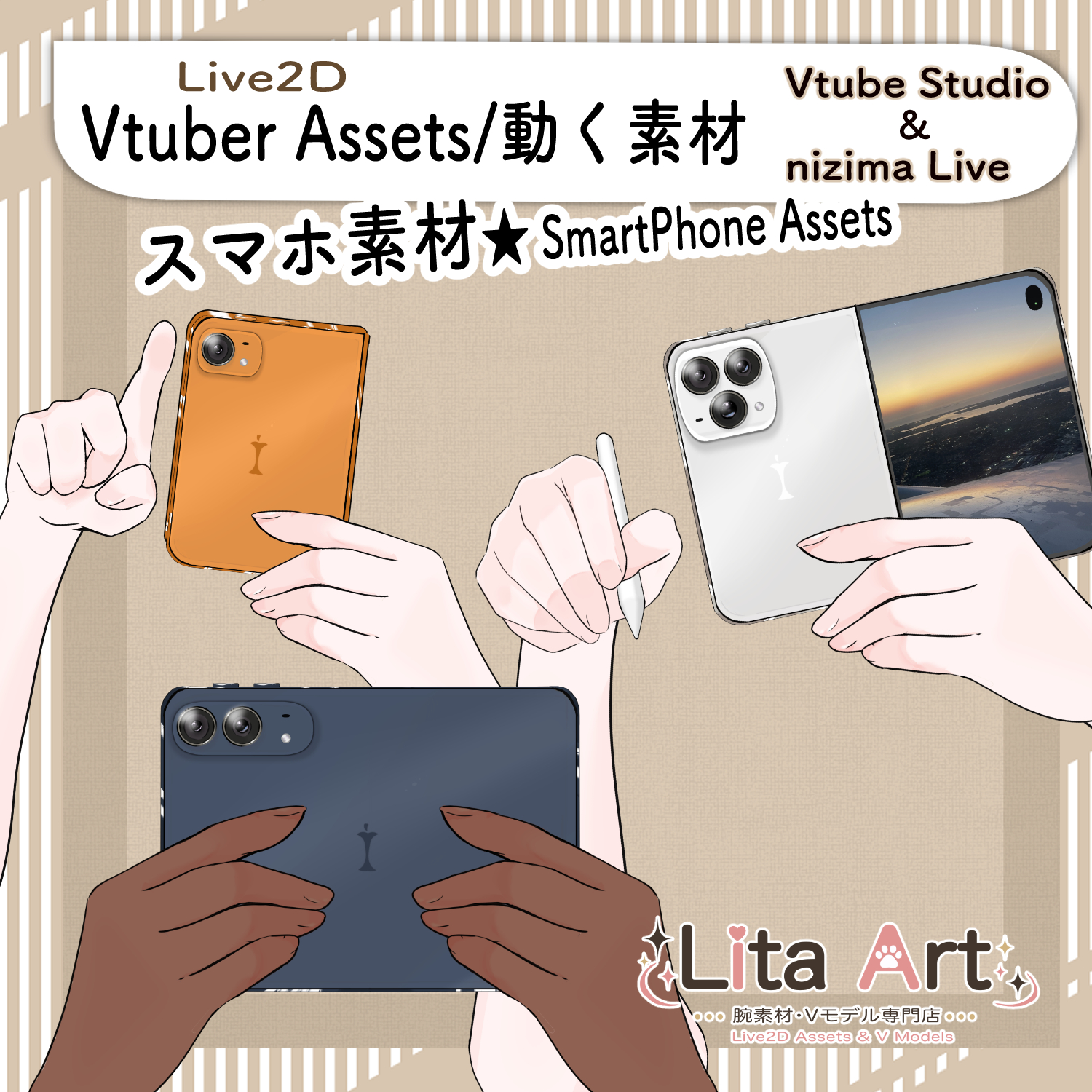
(151)スマホ&タブレット腕素材 📱 Smartphone & Tablet Arm Asset
Litaの作品を見つけてくれてありがとう!
Thanks for finding my work!
Preview Video
Download / Purchase
Also available on VGen:
View on VGen
English Description
A Live2D smartphone and tablet arm asset with multiple poses and display options for VTuber streams.
Switch between different device looks, hide either hand, change to a tablet-size device, use a two-handed pose, or point at the screen.
The right-side device screen can be customized, including Custom 1–3 display slots.
Great for chatting streams, smartphone or social-media scenes, drawing streams, and casual interaction.
(How to change the illustration is explained in the video.;English Version)
Can’t afford your dream phone yet? Enjoy the feeling of owning one virtually first♡
The VTuber model shown in the preview video is not included with this product.
Included Files
・moc3
・model3.json
・textures, etc.
・Preconfigured keybind data
*Can be used with VTube Studio / nizima LIVE.
Keybind Settings
Basic Controls
Click: Lowers the arm slightly
Mouse XY: Moves the right arm position
Appearance
Shift + 1: Camera Normal
Shift + 2: Camera Small
Shift + 4: Night
Shift + 5: Orange
Shift + 6: Purple
Screen Display & Hand Visibility
Shift + Q: Green
Shift + W: White
Shift + E: Custom 1
Shift + R: Custom 2
Shift + T: Custom 3
Shift + Y: Right Hand OFF
Shift + U: Left Hand OFF
Device Size & Poses
Shift + A: Close Screen
Shift + S: Tablet Size
Shift + D: Both Hands
Shift + F: Pointing Pose
Reset
Shift + 0: Reset
Customizable Parameters
Skin Color: Arm color
Color: Pen color
Sound Effects
None.
日本語説明
スマホやタブレットを持つ動きを楽しめる、Live2Dのスマホ+手・腕素材です。
デバイスの見た目変更、片手の非表示、タブレットサイズ、両手持ち、指差しポーズなどを切り替えられます。
右側に表示されるスマホ画面はカスタム可能で、Custom 1〜3の表示枠も使用できます。
雑談配信、スマホ操作やSNSを見る演出、お絵描き配信などにおすすめです。
(※カスタム画面変更方法解説:日本語版)
欲しいスマホが高いなら、まずはバーチャルで持った気分に♡
※動画内で使用しているVTuberモデルは商品に含まれません。
内容物
・moc3
・model3.json
・texture など
・キーバインド設定済みデータ
※VTube Studio / nizima LIVEで使用できます。
キーバインド設定
基本動作
Click:腕が少し下がる
Mouse XY:右腕の位置を動かす
外観変更
Shift + 1:通常カメラ
Shift + 2:小さいカメラ
Shift + 4:Night
Shift + 5:Orange
Shift + 6:Purple
画面表示・腕の表示
Shift + Q:Green
Shift + W:White
Shift + E:Custom 1
Shift + R:Custom 2
Shift + T:Custom 3
Shift + Y:右手OFF
Shift + U:左手OFF
デバイスサイズ・ポーズ変更
Shift + A:画面を閉じる
Shift + S:タブレットサイズ
Shift + D:両手持ち
Shift + F:指差しポーズ
リセット
Shift + 0:リセット
表情パラメータで変更可能なもの
Skin Color:腕の色
Color:ペンの色
効果音
なし
Important Note
✅ Commercial use and editing are permitted.
✅ Credit is optional.
✅ Copyright is not waived.
✅ By using this product, you are deemed to have agreed to the Terms of Sale.
🔗 https://lita-art.net/terms-and-condition/
⚠️ There are no restrictions on use in adult-oriented / NSFW content.
Please use within the bounds of common sense.
Color Changes & Sound Effects
Some items support color changes and/or sound effects.
For instructions on color changes and sound settings, please check the page below.
Setup Guide:
🔗 https://lita-art.net/how-to-set-up/
Contact
Questions and consultations are accepted via DM.
Feel free to contact me ✨
X: https://twitter.com/LitaVtuber
Web: https://lita-art.net/contact-form/
ご利用について
✅ 商用利用・編集OK
✅ クレジット表記は任意
✅ 著作権は放棄していません
✅ ご利用の際は、利用規約に同意したものとみなします
🔗 https://lita-art.net/terms-and-condition/
⚠️ 成人向けコンテンツでの使用制限はありません。
常識の範囲内でご使用ください。
色変更・効果音について
一部のアイテムは、色変更や効果音に対応しています。
色変更や効果音の設定方法は、下記ページをご確認ください。
設定方法はこちら:
🔗 https://lita-art.net/how-to-set-up/
お問い合わせ
質問・ご相談はDMまでお気軽にどうぞ✨
X: https://twitter.com/LitaVtuber
Web: https://lita-art.net/contact-form/