
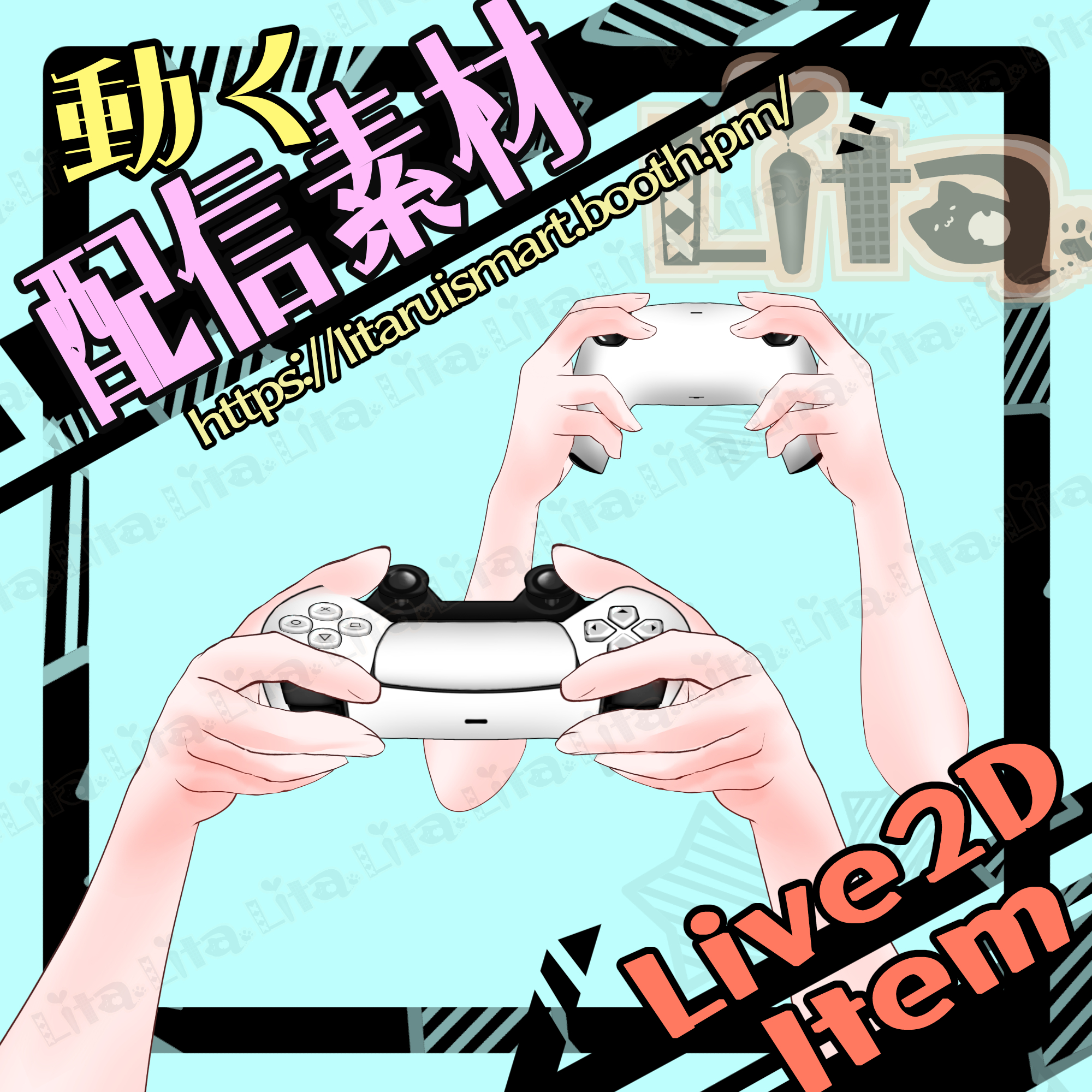
(076)ゲームコントローラ-爆発-投げるギミック付き-/Game Controller – Throw & Explosion Animation
※通貨はUSDです
※The currency is USD .
⭐︎日本のカードをご利用の場合、
自動で日本円に換算して決済されます。
特別な手続きは不要です。
//Payments are automatically converted to your local currency by your card provider.
No additional procedure is required.
⭐︎Nizima販売の場合は、料金は目安です。レートにより異なります。
//For sales on Nizima, the listed price is a guideline.
(0523Controler.zip)・・・キーボード対応版//Keyboard-compatible version
(0523ControlerForNyarupad.zip)・・・Nyarupad 対応版//Nyarupad-compatible version
※Nyarupad対応版でもほとんどの操作がキーボードから可能ですが、マウス位置で動く右スティックが、nyarupad用に設定している為こちらでは動きません。
※ Even in the Nyarupad version, most controls can still be operated using the keyboard.
However, the right stick that moves based on mouse position will not work, because it is configured specifically for Nyarupad.
Nyarupadの設定方法は動画で解説しています。//The setup method for Nyarupad is explained in the videos below.
日本語:https://youtu.be/I_W10xgoVMw
English:https://youtu.be/roUvjkDietY
☆★☆★☆★☆★☆★☆★☆★☆★☆
キーバインド設定//Keybind setting
🎮 【B+M 】爆発💥//Explosion 💥
🎮 【マウス真ん中クリック//Middle Click】コントローラ回し//Spin Controller
左スティック//Left Click
🎮 【w】🎮 【A】🎮 【S】🎮 【D】
右スティック//Right Stick
🎮 【マウス位置//Mouse Position】
⭕️🔺🔲✖️
🎮 【左クリック/Left Click】⭕️
🎮 【右クリック/Right Click】✖️
🎮 【E】🔺
🎮 【スペース//Space】🔲
LRボタン//LR Buttons
🎮 【1】R1
🎮 【2】R2
🎮 【3】L1
🎮 【4】L2
上下ボタン//D-Pad
🎮 【↑】🎮 【↓】🎮 【→】🎮 【←】
🎮 【Ctrl+ 9】カスタムスキン1//Custom Skin 1
🎮 【Ctrl+ 8】カスタムスキン2//Custom Skin 2
🎮 【Ctrl+ L】左腕オフ//Hide Left Arm
🎮 【Ctrl+ R】右腕オフ//Hide Right Arm
🎮 【Ctrl+ K】コントローラオフ//Hide Controller
🎮 【0】表情クリア//Reset Expression
☆★☆★☆★☆★☆★☆★☆★☆★☆★☆★☆★☆
お好きなスキンにカスタマイズ可能なコントローラです。
This controller can be customized with your preferred skin.
編集方法は前回と同じ方法でできますので、説明動画を乗せておきます。
The editing method is the same as before, so please refer to the tutorial video below.
今回は、texture_00 がカスタム可能になっています。
This time, texture_00 is customizable.
日本語 https://youtu.be/2YASoao3Phg?si=rKnwaCQY_RKe75uy
英語 https://youtu.be/JgQLLwoV4iU?si=RQnnBqioZrd36J83
—————————————–
Important Note
✅ Commercial use and editing are permitted, but I do not waive my copyright.
✅ Credit notation is optional.
✅ By using this product, you are deemed to have agreed to the Terms of Sale listed at the URL below.
🔗 https://lita-art.net/terms-and-condition/
⚠️ There are no restrictions on use in adult-oriented (NSFW) content. Please use within the bounds of common sense.
ーーーーーーーーーーーー
Lita’s items can be color-adjusted either through the Expression File Editor or directly via ArtMesh.
(Some items cannot be adjusted from the Expression File Editor. Most early works require color changes through ArtMesh.)
→ https://note.com/litaruismart/n/n60f0aea213c7
If the item supports adjustment in the Expression File Editor, there will be a parameter labeled “Color.”
Try modifying that parameter to change the colors and have fun experimenting!
Color change parameters:
Color1 – Multiply Brightness
Color2 – Multiply Color
Color3 – Screen Brightness
Color4 – Screen Color
For more details on the setup method, please check here!
Japanese
🔗 https://lita-art.net/2026/01/26/how-to-change-color/
English
🔗 https://lita-art.net/2026/01/26/how-to-chage-color/
ーーーーーーーーーーーー
Questions and consultations are accepted via DM!
Feel free to contact me ✨
🔹 Lita’s X (Twitter): https://twitter.com/LitaVtuber
🔹 Lita’s Website: https://lita-art.net/
—————————————–
商品について
✅ 商用利用・編集可能ですが、著作権は放棄していません。
✅ クレジット表記は任意です。
✅ ご利用の際は、下記URL記載の 利用規約 に同意したものとみなします。
🔗https://lita-art.net/terms-and-condition/
⚠️ 成人向けコンテンツへの使用規制はしていません。
常識の範囲内でご使用ください。
ーーーーーーーーーーーー
Litaのアイテムは、表情ファイルエディター、またはアートメッシュでの色調整が可能です。(表情ファイルエディタからは一部できないものもあります。初期の作品のほとんどはアートメッシュからの色変更になります!)
→ https://note.com/litaruismart/n/n120985de98c0
表情ファイルエディタから可能な場合は、colorと書いてあるパラメータが存在します。そのパラメータをいじって色変更して遊んでみてください!
色変更パラメータ:
Color1 – 乗算明暗
Color2 – 乗算カラー
Color3 – スクリーン明暗
Color4 – スクリーンカラー
設定方法の詳細は、こちらをご覧ください!
日本語
🔗 https://lita-art.net/2026/01/26/how-to-change-color/
English
🔗https://lita-art.net/2026/01/26/how-to-chage-color/
ーーーーーーーーーーーー
質問・ご相談はDMにて受付中!
お気軽にご連絡ください✨
🔹 LitaのX(Twitter): https://twitter.com/LitaVtuber
🔹 Litaのホームページ: https://lita-art.net/