
説明
VTube Studioで使える素材!
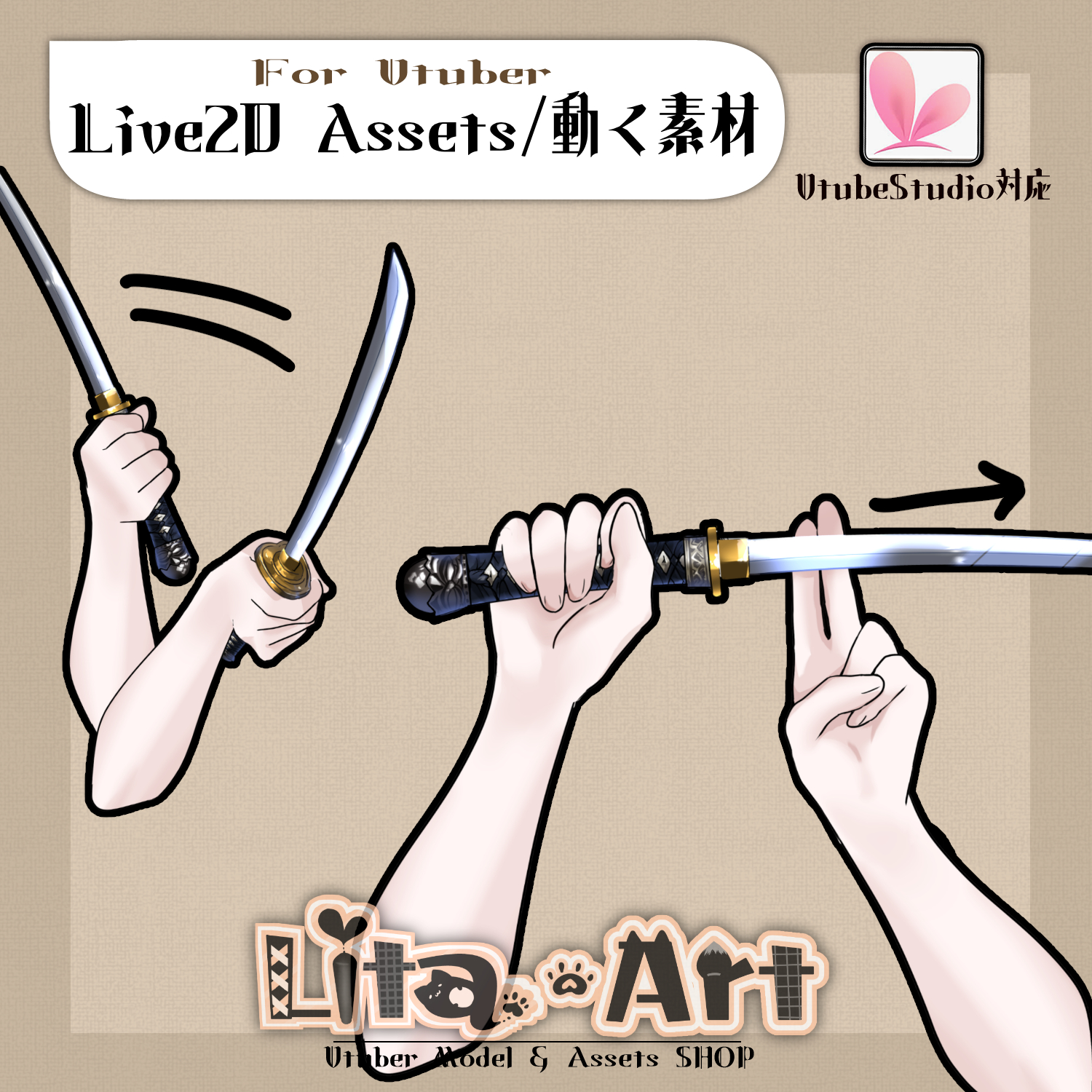
刀を振る動作付きの刀!
刀持ってても一生抜けない呪いにかかったVtuberを解き放つ!
動画やらショートやら配信やらにどんどんお使いください!
もちろん商用利用可能ですよー!
動くアイテムで配信を盛り上げちゃいましょう!!
リスナーさんと一緒に楽しんでもらえたら本望です。
こちらのページで販売しているのは アイテムのみです。
モデルは含みません。
モデルは販売しておりますので、私の公式Website、NIZIMA、あるいは汎用モデルであればBoothにも出品しています。
✅ 商用利用・編集可能ですが、著作権は放棄していません。
✅ クレジット表記は任意です。宣伝してもらえると喜んでLitaが見にいくかもしれません。
ご利用の際は、下記URL記載の 利用規約 に同意したものとみなします。
🔗 https://lita-art.square.site/terms-of-sale
⚠️ 成人向けコンテンツへの使用規制はしていませんが、常識の範囲内でご使用ください。
個別具体的な質問にはお答えできませんのでご了承ください。
☆★☆★☆★☆★☆★☆★☆★☆★☆
色変更可能箇所
肌色(SkinColor)
表情ファイルエディターにて調整が可能です。
Colorと書いてあるパラメータをいじって遊んでみてください
色変更パラメータ:
🟡 Color1 – 乗算明暗
🔴 Color2 – 乗算カラー
🔵 Color3 – スクリーン明暗
🟢 Color4 – スクリーンカラー
設定方法の詳細は、こちらをご覧ください!
🔗 https://note.com/litaruismart/n/ncb10f7c36e94
ーーーーーーーーーーーー
☆★☆★☆★☆★☆★☆★☆★☆★☆
キーバインド設定
🎮 【Ctrl】左手ON(押しっぱなしでON、離すと下ろします)
🎮 【Mouseの右左位置】左手の位置が変わります
🎮 【Q+1】持ち方1
🎮 【Q+2】持ち方2
🎮 【Q+3】刀を振る
🎮 【Ctrl+0】リセット
☆★☆★☆★☆★☆★☆★☆★☆★☆★☆★☆★☆
質問・イラスト制作・モデリングのご相談はDMにて受付中!
お気軽にご連絡ください✨
🔹 LitaのX(Twitter):
Tweets by LitaVtuber
🔹 Litaのホームページ:
https://lita-art.net/
☆★☆★☆★☆★☆★☆★☆★☆★☆★☆★☆★☆☆★☆★☆★☆★
🎥 Animated Asset for VTube Studio!
A katana item with a sword-swing animation!
Free your VTuber from the curse of holding a sword forever without ever drawing it 🗡️✨
Perfect for videos, Shorts, livestreams, and more—use it as much as you like!
✅ Commercial use is allowed.
Add motion to your stream and make it more exciting!
If you and your viewers can enjoy it together, that would make me very happy 😊
📦 About This Product
This page sells the item only.
❌ Model is NOT included.
Models are sold separately on:
Lita’s official website
Nizima
BOOTH (for general-purpose models)
📜 Usage & License
✅ Commercial use and editing are allowed
❌ Copyright is NOT waived
✅ Credit is optional
(But if you credit me, Lita might happily come to check it out 👀✨)
By using this item, you are considered to have agreed to the Terms of Service below:
🔗 https://lita-art.square.site/terms-of-sale
⚠️ Use in adult content is not restricted, but please stay within reasonable and common-sense boundaries.
Please note that I cannot answer individual or specific questions regarding usage.
🎨 Color Customization
Editable area:
Skin color (SkinColor)
You can adjust this using the Expression File Editor.
Try playing around with parameters labeled “Color”.
Color Parameters:
🟡 Color1 – Multiply (brightness)
🔴 Color2 – Multiply (color)
🔵 Color3 – Screen (brightness)
🟢 Color4 – Screen (color)
📘 Setup guide (Japanese):
🔗 https://note.com/litaruismart/n/ncb10f7c36e94
🎮 Key Bind Settings
🎮 Ctrl – Left hand ON
(Hold to activate / Release to lower)
🎮 Mouse Left–Right Position – Adjust left hand position
🎮 Q + 1 – Grip type 1
🎮 Q + 2 – Grip type 2
🎮 Q + 3 – Swing the sword
🎮 Ctrl + 0 – Reset
💌 Contact
Questions, illustration requests, and modeling inquiries are welcome via DM!
Feel free to reach out ✨
🔹 Lita on X (Twitter)
Tweets by LitaVtuber
🔹 Lita Official Website
https://lita-art.net/