
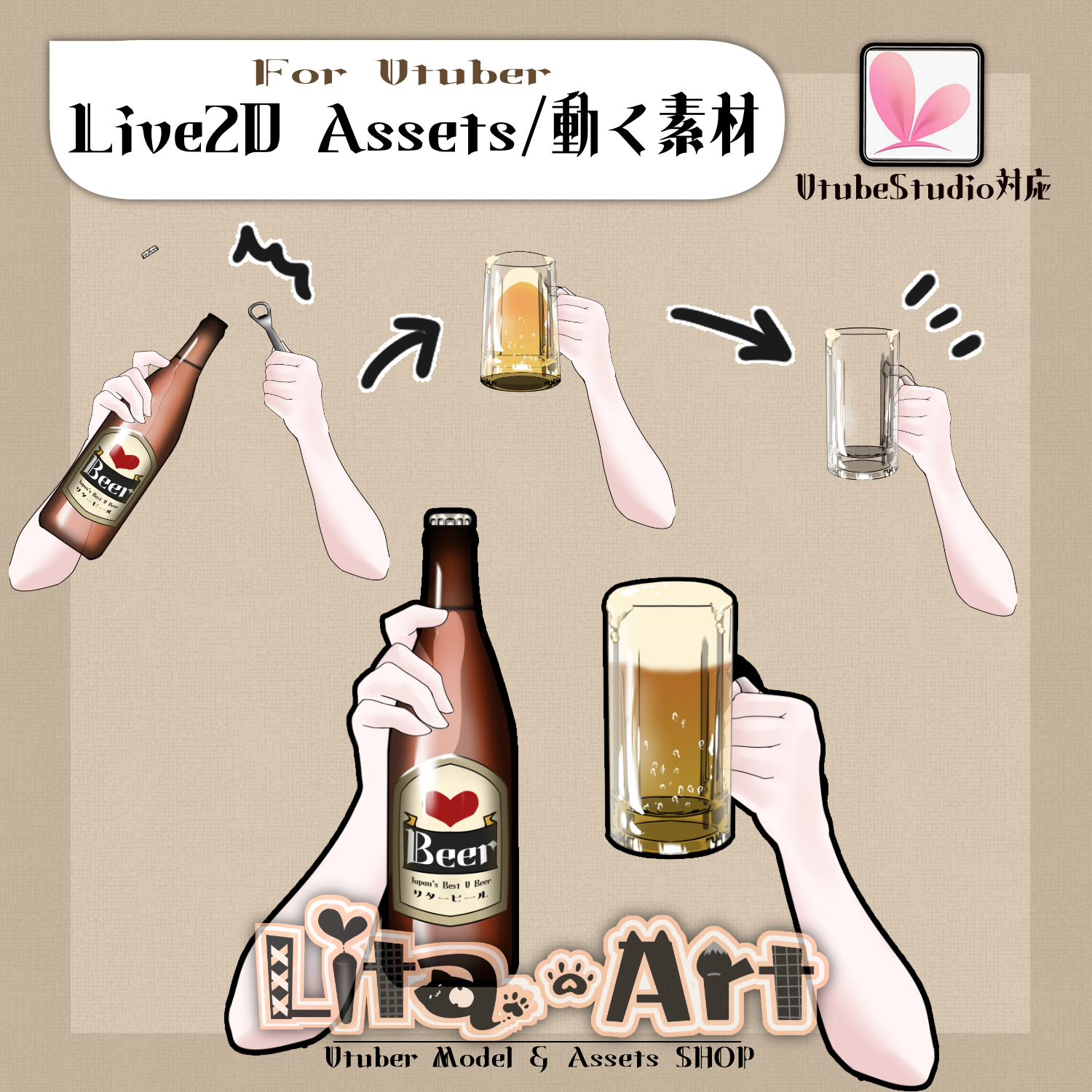
(108)ビール・乾杯と飲む仕草//Beer/Cheers and Drink Motion
Litaの作品を見つけてくれてありがとう!
Thanks for finding my work!
Preview Video
Download / Purchase
English Description
Assets for VTube Studio.
To make the full sequence easy to use, the main actions are assigned to the number keys only.
※ If you don’t press [1] Reset first, the animation may look a little off.
This is a system limitation, so please understand that this is expected behavior.
Pressing the keys in order (1 → 2 → 3 → 4) will correctly play the full animation sequence — please give it a try!
Included Files
・Live2D item files
moc3 / model3.json / textures, etc.
*Can be used with VTube Studio / nizima Live.
Keybind Settings
🎮 [1] Reset
🎮 [2] Open bottle & pour
🎮 [3] Cheers
🎮 [4] Drink
🎮 [Q] Open bottle
🎮 [W] Right hand OFF
Color Options
Adjustable via Expression Parameters
・Arm color (SkinColor)
日本語説明
VTube Studioで使える素材です。
一連の動作を簡単に行えるよう、メイン動作は 番号キーのみ に割り当てています。
※ 【1】リセット を押さないと、動きが少しおかしくなる場合があります。
仕様上どうしても避けられないため、「そういうもの」としてご理解ください。
1 → 2 → 3 → 4 の順で押すと、きちんと一連の動作が再生されます。ぜひお試しください!
内容物
・Live2Dアイテム一式
moc3 / model3.json / texture など
※VTube Studio / nizima Liveで使用できます。
キーバインド設定
🎮 【1】リセット
🎮 【2】栓を抜いて注ぐ
🎮 【3】乾杯する
🎮 【4】のむ
🎮 【Q】栓をぬく
🎮 【W】右手OFF
色変更可能箇所
表情パラメータで調整できます。
・腕色(SkinColor)

Important Note
✅ Commercial use and editing are permitted.
✅ Credit is optional.
✅ Copyright is not waived.
✅ By using this product, you are deemed to have agreed to the Terms of Sale.
🔗 https://lita-art.net/terms-and-condition/
⚠️ There are no restrictions on use in adult-oriented / NSFW content.
Please use within the bounds of common sense.
Color Changes & Sound Effects
Some items support color changes and/or sound effects.
For instructions on color changes and sound settings, please check the page below.
Setup Guide:
🔗 https://lita-art.net/how-to-set-up/
Contact
Questions and consultations are accepted via DM.
Feel free to contact me ✨
X: https://twitter.com/LitaVtuber
Web: https://lita-art.net/contact-form/
ご利用について
✅ 商用利用・編集OK
✅ クレジット表記は任意
✅ 著作権は放棄していません
✅ ご利用の際は、利用規約に同意したものとみなします
🔗 https://lita-art.net/terms-and-condition/
⚠️ 成人向けコンテンツでの使用制限はありません。
常識の範囲内でご使用ください。
色変更・効果音について
一部のアイテムは、色変更や効果音に対応しています。
色変更や効果音の設定方法は、下記ページをご確認ください。
設定方法はこちら:
🔗 https://lita-art.net/how-to-set-up/
お問い合わせ
質問・ご相談はDMまでお気軽にどうぞ✨
X: https://twitter.com/LitaVtuber
Web: https://lita-art.net/contact-form/