
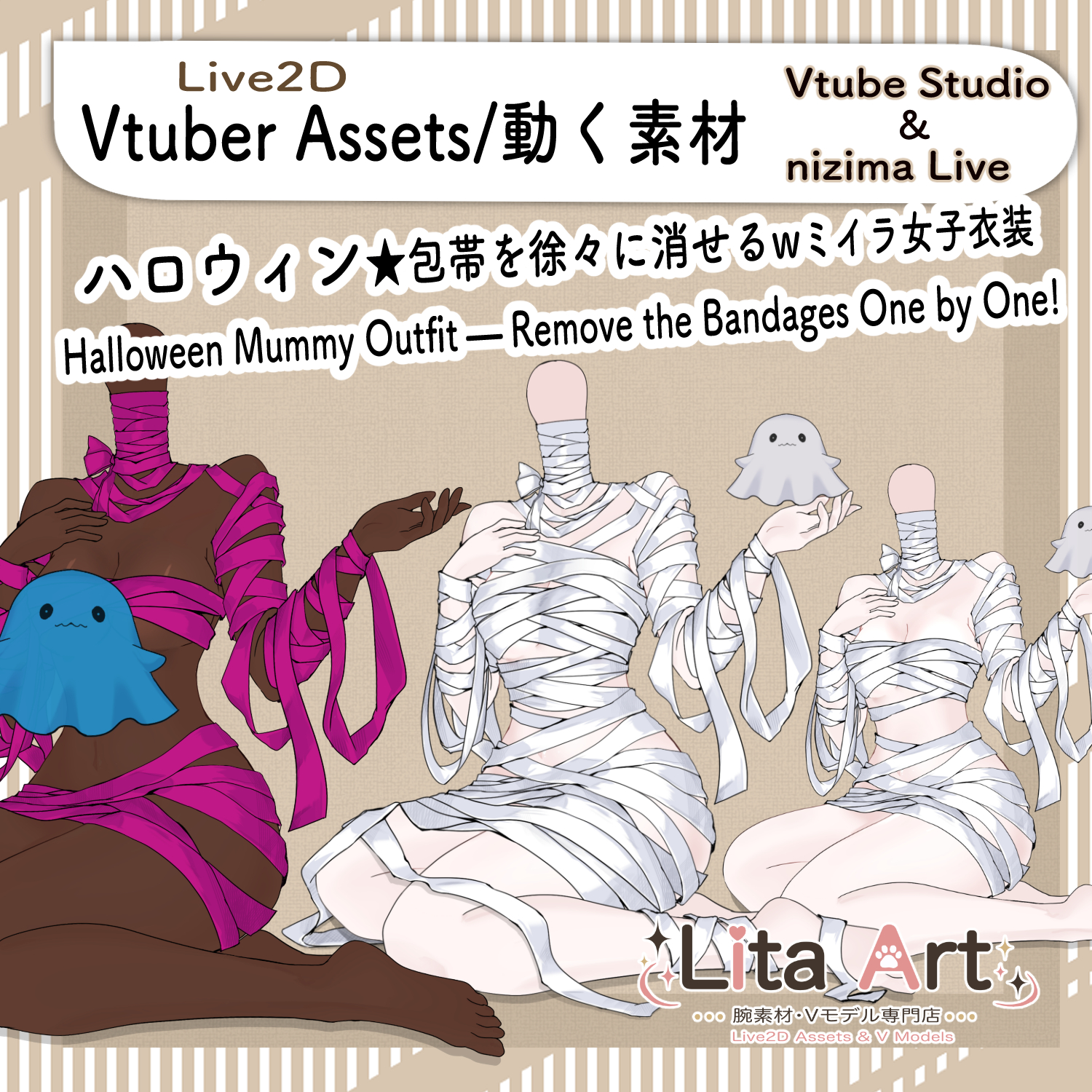
(152)おばけがほどく♡ミイラ衣装 / Ghostly Unwrap! Halloween Mummy Outfit
Litaの作品を見つけてくれてありがとう!
Thanks for finding my work!
Preview Video
Download / Purchase
Also available on VGen:
View on VGen
English Description
A seated Halloween mummy outfit Live2D asset with a cute ghost companion.
【Recommended Setup】
Load the mummy outfit as your main model, then load your character as a Live2D item and pin the head to the outfit’s neck.
For the most natural look, make your character’s body transparent so that only the head is visible.
Please refer to the official VTube Studio guide for instructions on making body parts transparent:
https://github.com/DenchiSoft/VTubeStudio/wiki/Recoloring-Models-and-Items#making-parts-of-the-model-invisible
Please check your model’s terms of use and obtain permission from its creator if required.
Use number-key combinations to gradually remove bandages from the shoulders, tummy, legs, hips, and underbust. Press 1 on its own to make the ghost spin.
Great for Halloween streams, chatting, and playful reactions. Customize the bandage, skin, and ghost colors to suit your VTuber model.
The VTuber model shown in the preview video is not included with this product.
Included Files
・moc3
・model3.json
・textures, etc.
・Preconfigured keybind data
*Can be used with VTube Studio / nizima LIVE.
Keybind Settings
Ghost Animation
1: Ghost spin
Unwrap Bandages
1 + 2: Shoulders
1 + 3: Tummy
1 + 4: Legs
1 + 5: Hips
1 + 6: Underbust
Appearance & Visibility
Shift + E: Toggle ghost color change
Shift + Q: Hide / show ghost
Shift + W: Toggle color change for all bandages
Shift + F: Toggle skin color change
Shift + G: Toggle green screen
Reset
1 + 0: Reset bandages
Use 1 together with a number from 2 to 6 to gradually remove the corresponding bandages.
Shift-key settings are not affected by 1 + 0. Toggle each Shift-key setting on or off individually.
Customizable Parameters
Color: Bandage color
Skin Color: Skin color
Goast Color: Ghost color
Neck Size: Neck thickness and visibility (on/off)
To customize colors, edit the parameters in the corresponding Shift-key settings: Shift + W for all bandages, Shift + F for skin, and Shift + E for the ghost. In the expression parameters, edit the fields listed above. "Goast Color" is the parameter name used in the asset.
Sound Effects
No sound effects are included.
日本語説明
おばけと一緒に楽しめる、座り姿のハロウィンミイラ衣装のLive2D素材です。
【おすすめの設定方法】
ミイラ衣装を「モデル」として読み込み、お使いのキャラクターを「Live2Dアイテム」として読み込んで、頭を衣装の首元に固定してください。
キャラクターの体を透明にして、頭だけを表示すると、最も自然に見えます。
体を透明にする方法は、VTube Studio公式ガイドをご確認ください。
https://victorious-visor-592.notion.site/f36a6e11c9e4452491d6bd75abe802c9
※モデルの利用規約をご確認のうえ、必要に応じて制作者の許可を得てください。
数字キーの組み合わせで、肩・お腹・脚・腰・胸の下の包帯を少しずつ外せます。1キーだけを押すと、おばけがくるっと回ります。
ハロウィン配信や雑談、リアクションのネタに。包帯・肌・おばけの色を変更して、自分のモデルに合わせて楽しめます。
※動画内で使用しているVTuberモデルは商品に含まれません。
内容物
・moc3
・model3.json
・texture など
・キーバインド設定済みデータ
※VTube Studio / nizima LIVEで使用できます。
キーバインド設定
おばけの動作
1: おばけがくるっと回る
包帯を外す
1 + 2: 肩
1 + 3: お腹
1 + 4: 脚
1 + 5: 腰
1 + 6: 胸の下
外観・表示変更
Shift + E: おばけの色変更ON/OFF
Shift + Q: おばけを非表示/再表示
Shift + W: 包帯全体の色変更ON/OFF
Shift + F: 肌の色変更ON/OFF
Shift + G: グリーンバックON/OFF
リセット
1 + 0: 包帯の状態をリセット
1 + 2〜1 + 6は、1と各数字キーを組み合わせて操作します。包帯は少しずつ外れていきます。
Shift系の設定は1 + 0でリセットされません。各Shift系キーを押して、個別にON/OFFを切り替えてください。
表情パラメータで変更可能なもの
Color:包帯の色
Skin Color:肌の色
Goast Color:おばけの色
Neck Size:首の太さ・表示ON/OFF
色は、対応するShift系設定のパラメータ編集から変更できます。Shift + Wは包帯全体、Shift + Fは肌、Shift + Eはおばけに対応します。表情パラメータでは、上記の名前の項目を編集してください。
効果音
効果音はありません。

Important Note
✅ Commercial use and editing are permitted.
✅ Credit is optional.
✅ Copyright is not waived.
✅ By using this product, you are deemed to have agreed to the Terms of Sale.
🔗 https://lita-art.net/terms-and-condition/
⚠️ There are no restrictions on use in adult-oriented / NSFW content.
Please use within the bounds of common sense.
Color Changes & Sound Effects
Some items support color changes and/or sound effects.
To change the color, adjust the “Color” parameter in the expression settings if available. If there is no “Color” parameter, change the color using the ArtMesh color settings.
Setup Guide:
🔗 https://lita-art.net/how-to-set-up/
Contact
Questions and consultations are accepted via DM.
Feel free to contact me ✨
X: https://twitter.com/LitaVtuber
Web: https://lita-art.net/contact-form/
ご利用について
✅ 商用利用・編集OK
✅ クレジット表記は任意
✅ 著作権は放棄していません
✅ ご利用の際は、利用規約に同意したものとみなします
🔗 https://lita-art.net/terms-and-condition/
⚠️ 成人向けコンテンツでの使用制限はありません。
常識の範囲内でご使用ください。
色変更・効果音について
一部のアイテムは、色変更や効果音に対応しています。
変更は、表情設定のパラメータ一覧に「Color」がある場合、その値を調整してください。「Color」がない場合は、アートメッシュの色設定から変更してください。
設定方法はこちら:
🔗 https://lita-art.net/how-to-set-up/
お問い合わせ
質問・ご相談はDMまでお気軽にどうぞ✨
X: https://twitter.com/LitaVtuber
Web: https://lita-art.net/contact-form/